
Module
Labor & HR
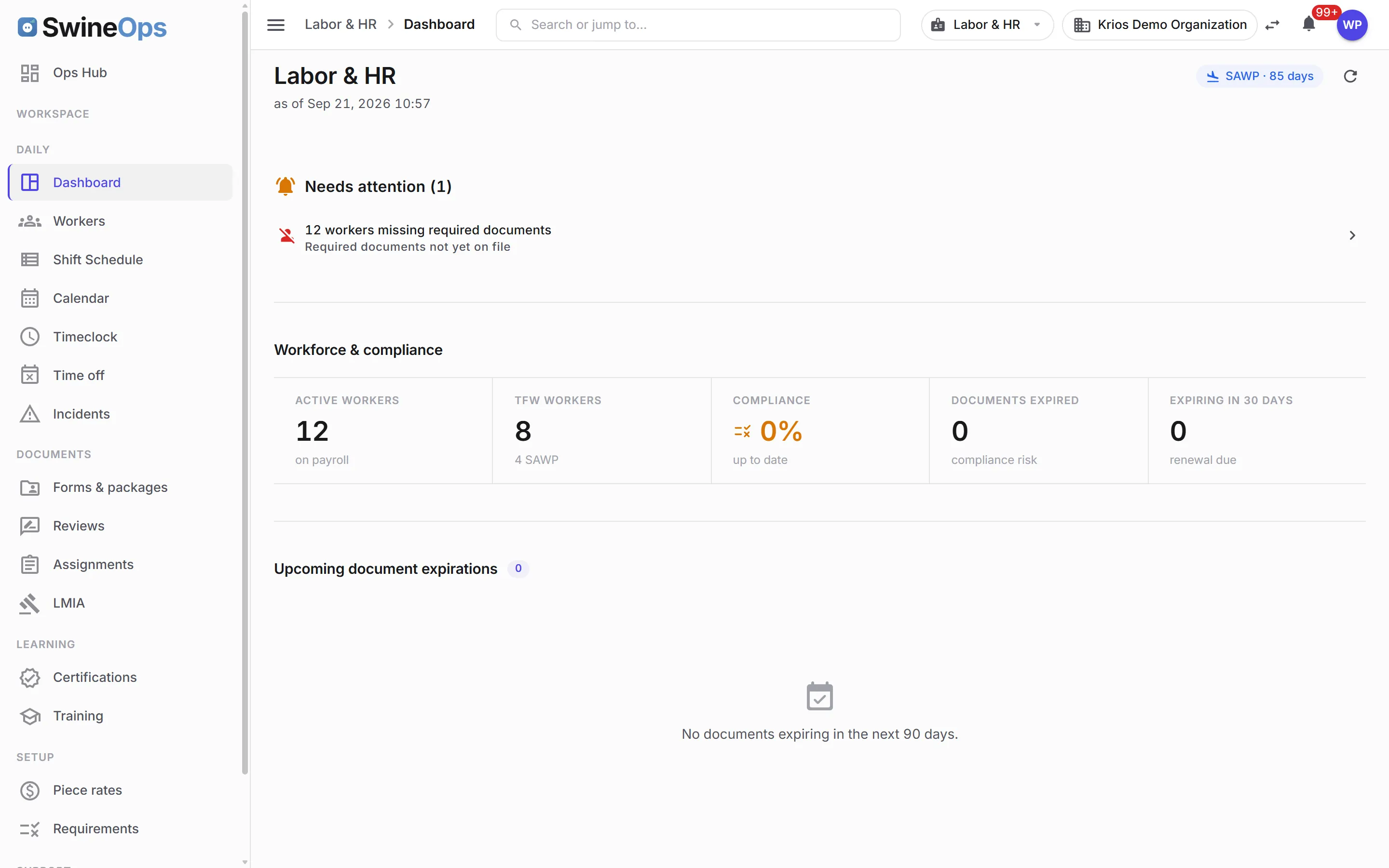
The workforce side of the operation, built for barns and for the Temporary Foreign Worker programs many producers run. A phone-first worker portal, geofenced timeclock, shift scheduling with a Mon-to-Sun chore board, time off with balances, LMIA positions against approvals, and document compliance with approval workflows — so audits stop being fire drills.
What it does
Time & scheduling
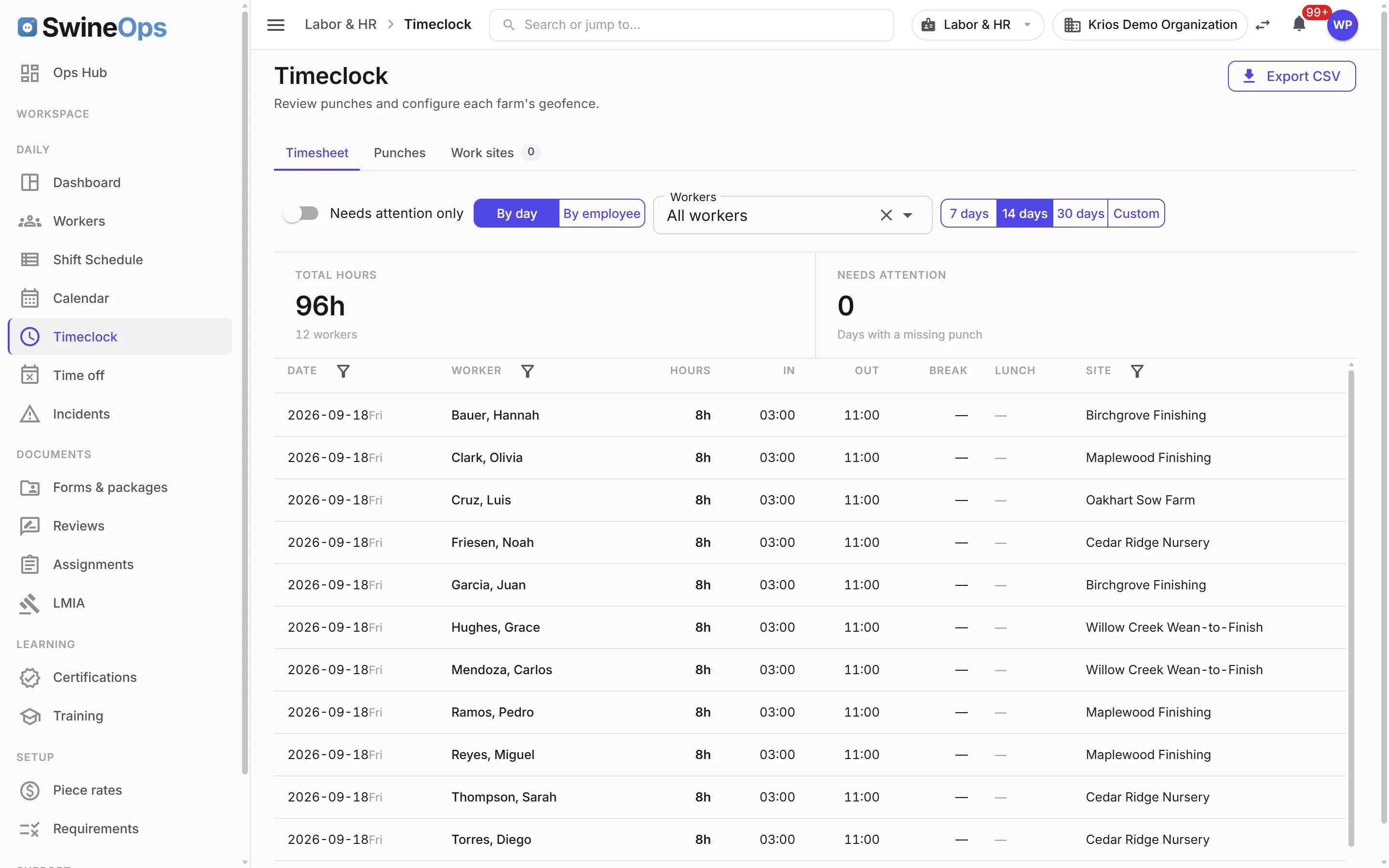
- Geofenced mobile clock-in / clock-out tied to the barn or site — or punch-anywhere per worker, with punch locations kept
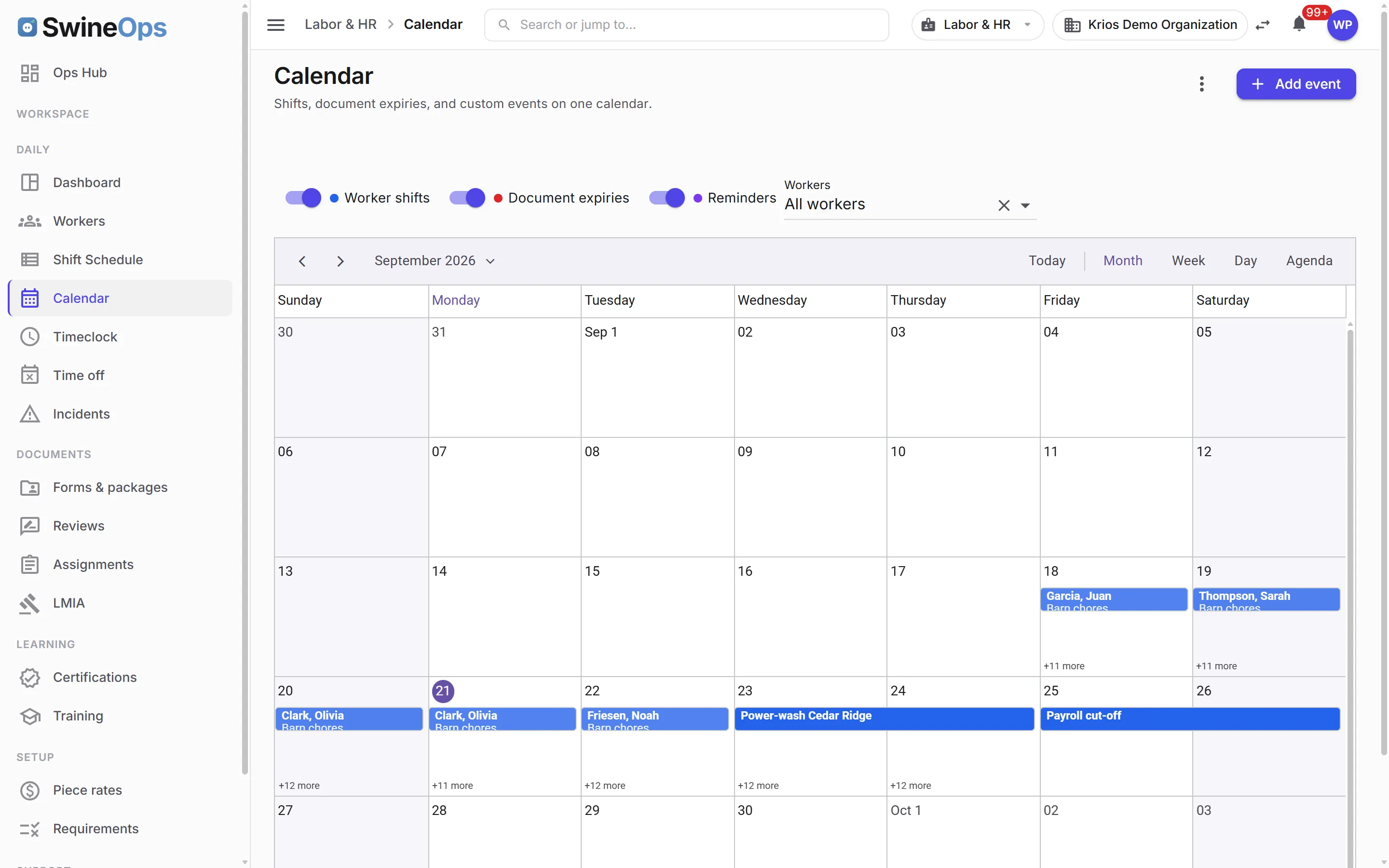
- Shift scheduling against work sites, copy-week with overlap warnings, and the dashboard clock-in opening on the rostered shift
- The barn chore board — chores as rows, Monday to Sunday as columns, workers in the cells, copied to next week in one click
- Timesheets with banked hours, paid lunch, mid-day re-clock-in, and per-employee cost; year-end vacation payout
- Piece-rate earnings tied to production events, with CSV export
Time off
- Time-off types, grants, requests, and approvals, with the yearly tally per worker
- Balances for every worker on one list; grant time off without a request when that's how you work
- Approved leave lands on the timesheet and the schedule, so nobody is rostered on their day off
TFW & LMIA compliance
- LMIA as an employer-held record — positions filled against approved, an open-positions tile, and monthly renewal reminders
- An under-filled-near-expiry rule that raises a bell alert and an email before the approval lapses
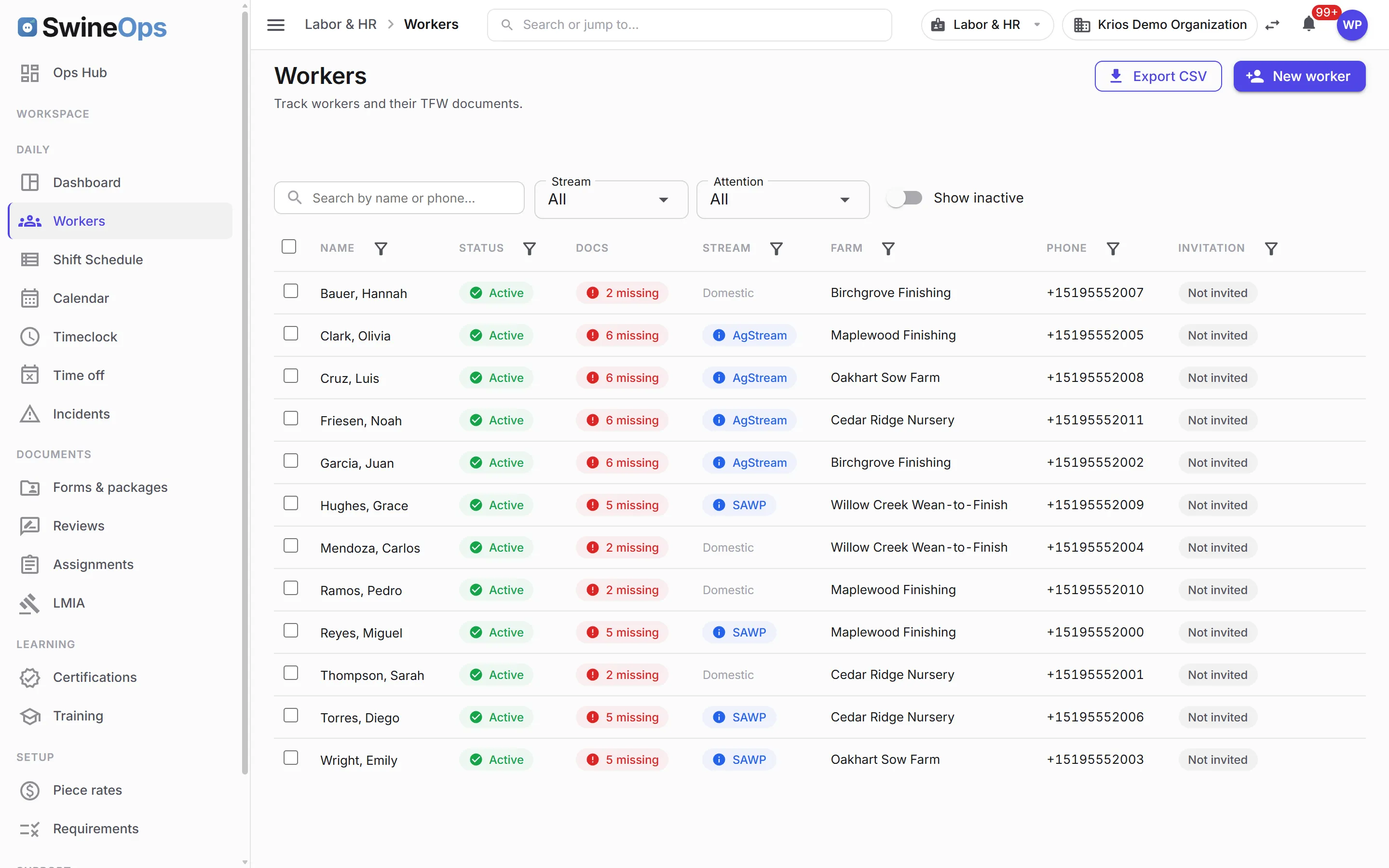
- Per-stream required-document rules (SAWP, Ag Stream, low/high-wage), with document types your organization defines
- The TFW standard-form library — the forms every stream needs, auto-slotted with computed expiry
- Worker self-upload with HR approve / reject, reason-coded feedback, and real version history
The worker portal
- Phone-number sign-in for staff without email; installable on the phone like an app
- Works in the worker's own language (English, French, Spanish) and uses the phone's own affordances
- Clock in, see the shift, upload a document, take a training module — from the barn
Documents, training & safety
- Reusable document templates with merge fields, sent as packages for e-signature and re-sent on a schedule
- Built-in training — lesson modules and quizzes that auto-issue a certification on a pass, with Spanish content
- Team calendar with recurring reminders and attachments, an iCal subscription, and an onboarding dialog for new hires
- Incident reporting and workplace-safety logs from the barn; Google Maps work sites with a geofence view
- Per-user feature grants, so a supervisor can see the schedule without seeing payroll
A closer look
How it works
- 1
Onboard the worker
Create the profile, set the stream, and the required-document checklist and standard forms generate themselves.
- 2
Collect documents
The worker uploads permits and IDs from their phone; HR approves or rejects with a reason, and the version history keeps every copy.
- 3
Schedule, clock & take leave
Fill the chore board, copy it to next week; staff clock in inside the geofence, request time off, and see their balance.
- 4
Export & stay ready
Export timesheets and piece-rate earnings; LMIA renewals and expiring permits alert before they lapse, so audits are routine.
KPIs this module tracks
How it connects
Piece-rate earnings are computed from Grow-Finish and Movement production events, geofences reuse your Movement & Compliance sites, hours and cost flow into the organization P&L in Financial, and every expiring permit, under-filled LMIA, out-of-geofence punch, or rejected document becomes an alert in the Operations Hub routed to HR or the farm manager.
Labor & HR was built around the reality that a lot of pork producers run TFW programs across multiple sites. Required documents, LMIA positions, expiry dates, and approval workflows are first-class — not a folder of scanned PDFs — so the day an auditor calls, the compliance picture is already on screen. And the daily work of a barn crew — who is on which chore this week, who is off, who clocked in where — lives in the same place, on the phone the worker already carries.
Frequently asked
What happens if someone clocks in from the wrong place?
How does time off work?
Does it track our LMIA positions?
Can we customize which documents each worker stream requires?
Can we send documents out for signature, not just collect uploads?
Do workers need an email address to use it?
See Labor & HR on your operation.
20 minutes, tailored to how you run.