
Module
Grow-Finish
The wean-to-market side of the operation. Track every batch from placement through ship, order feed the way a mill dispatcher thinks (one truck, one trip, compartments), watch bin levels draw down against the ration each barn is actually eating, run a liquid-feed kitchen or a continuous-flow barn, and close out against the kill sheet — so cost per pig is a live number, not a closeout-day surprise.
What it does
Batches, barns & rooms
- Batch tracking from placement through ship, with movements that keep inventory current
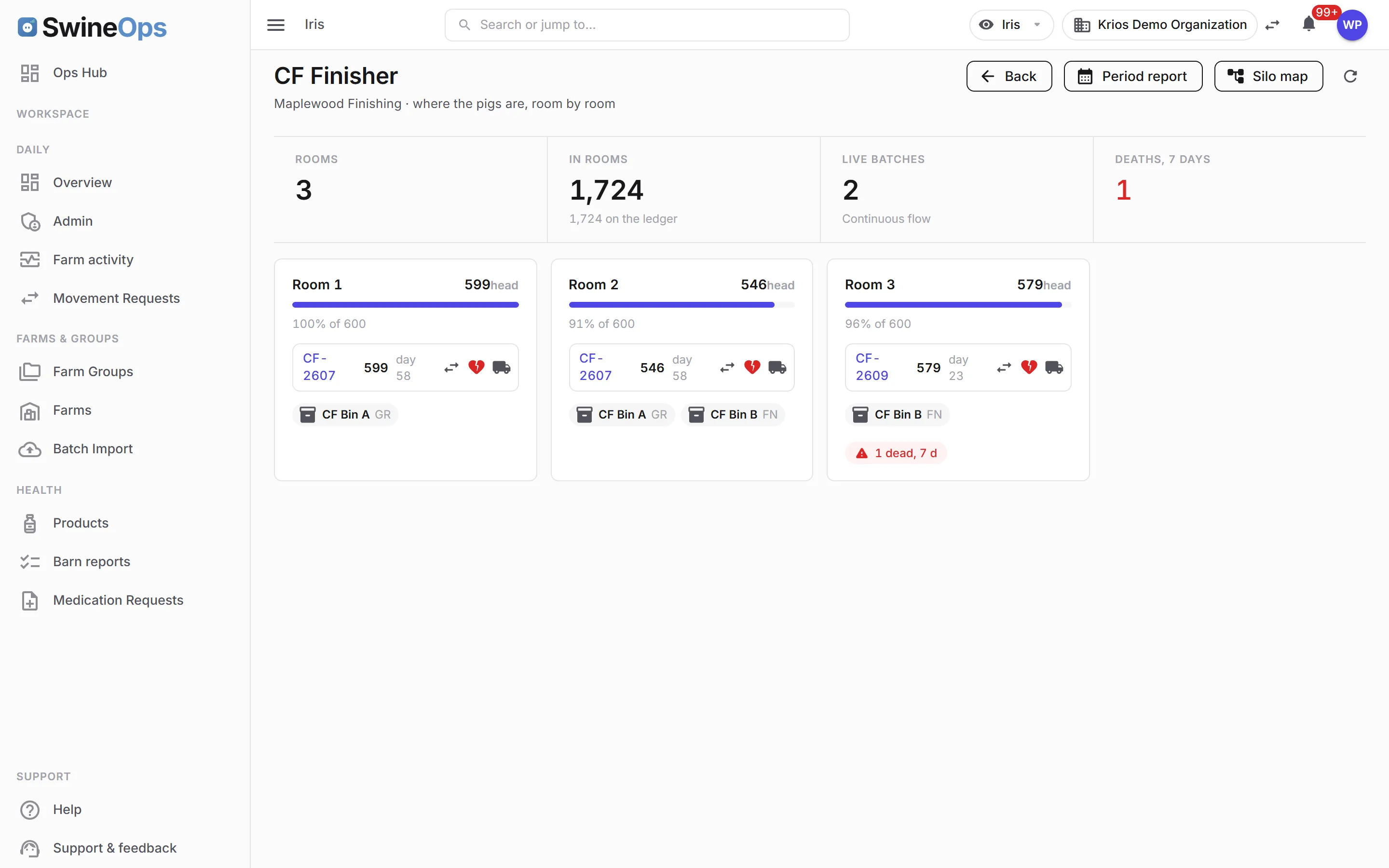
- Continuous-flow barns — rooms inside a barn, a batch-to-room ledger, and a room board that shows what is where today
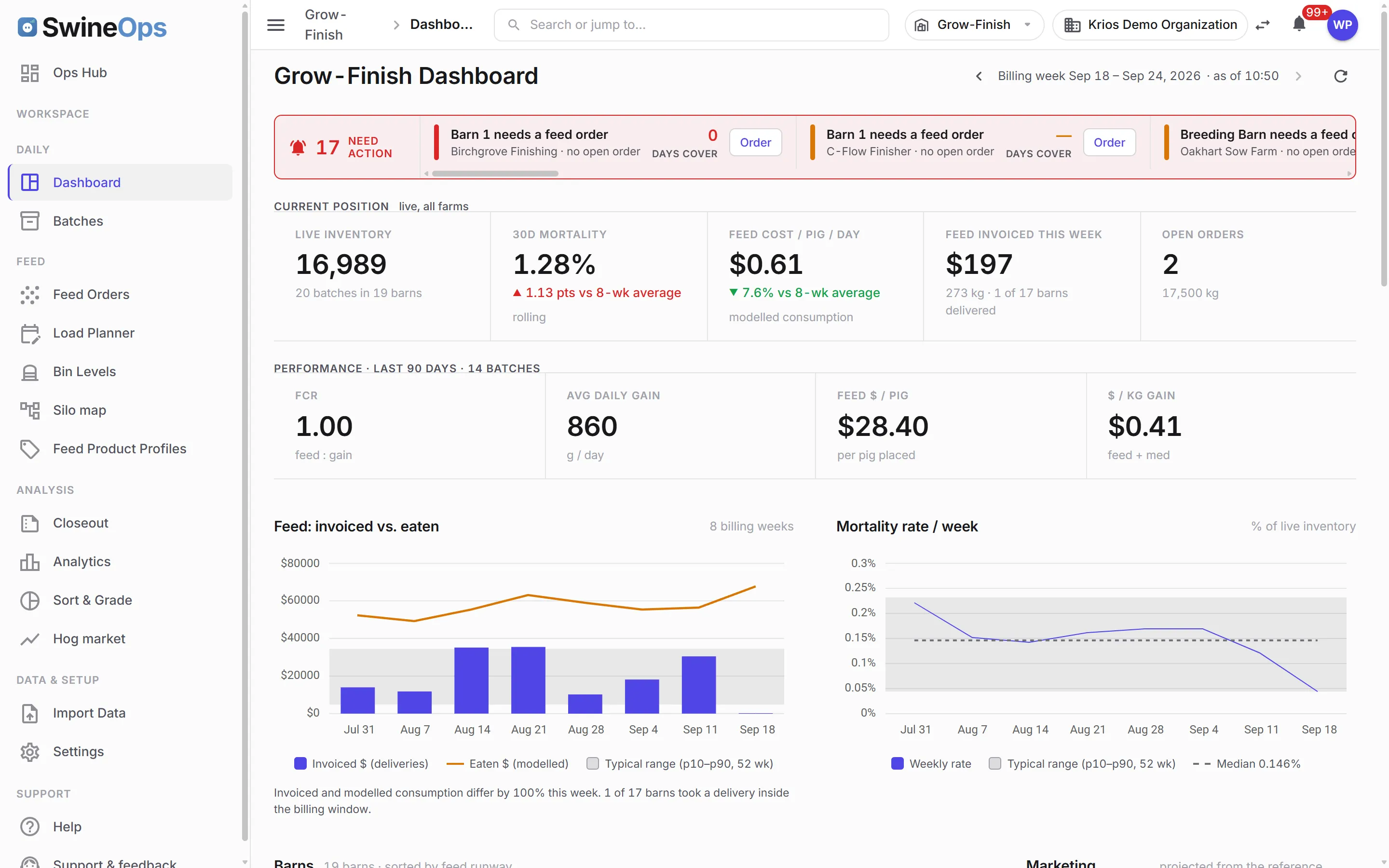
- Mortality with cause codes, coloured against each farm's own threshold on the dashboard
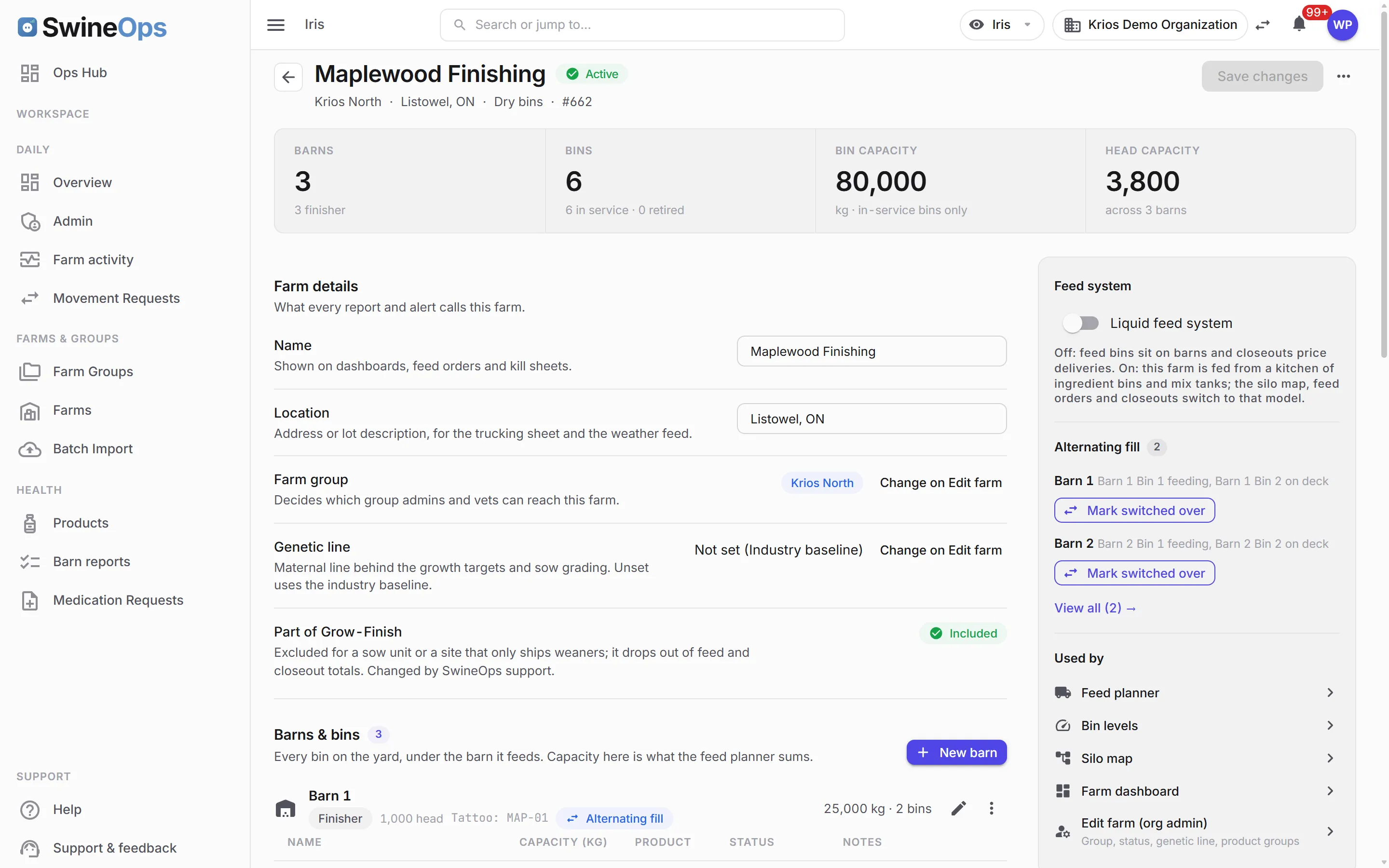
- Farm settings on one page — barns over their bins, inline add, retire and relay chips
- Batch import wizard for bringing an existing operation's history in
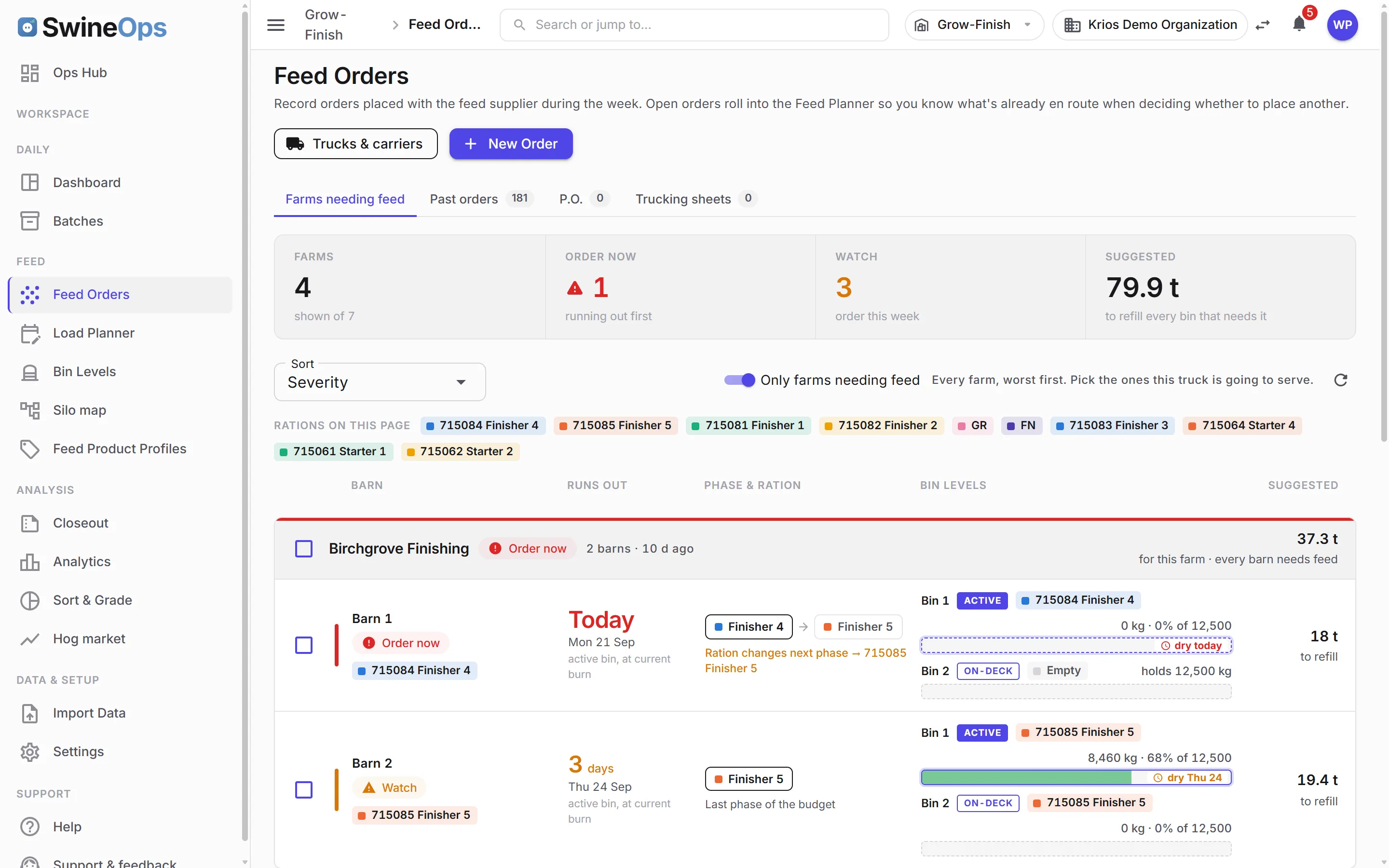
Feed ordering, the way a mill sees it
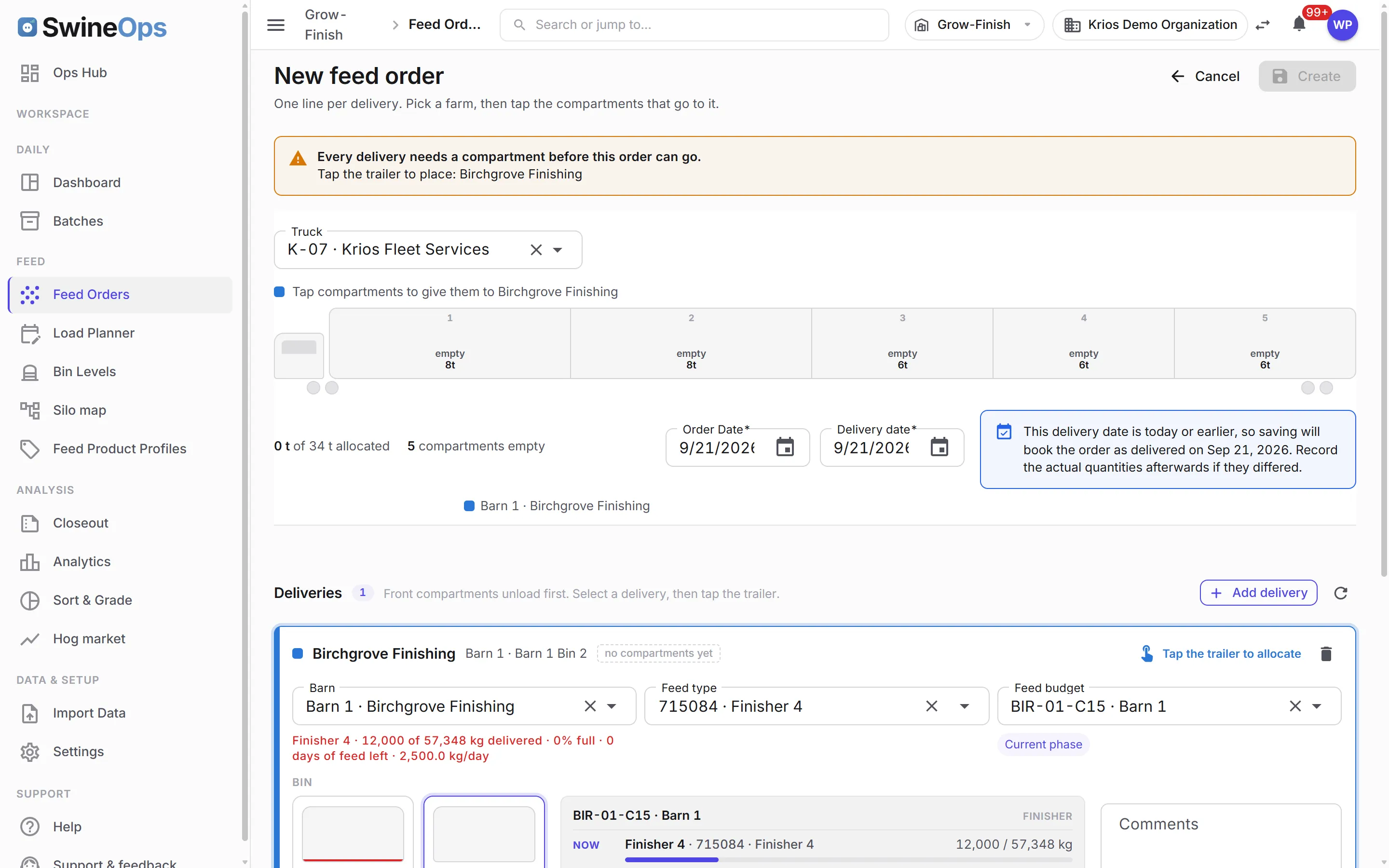
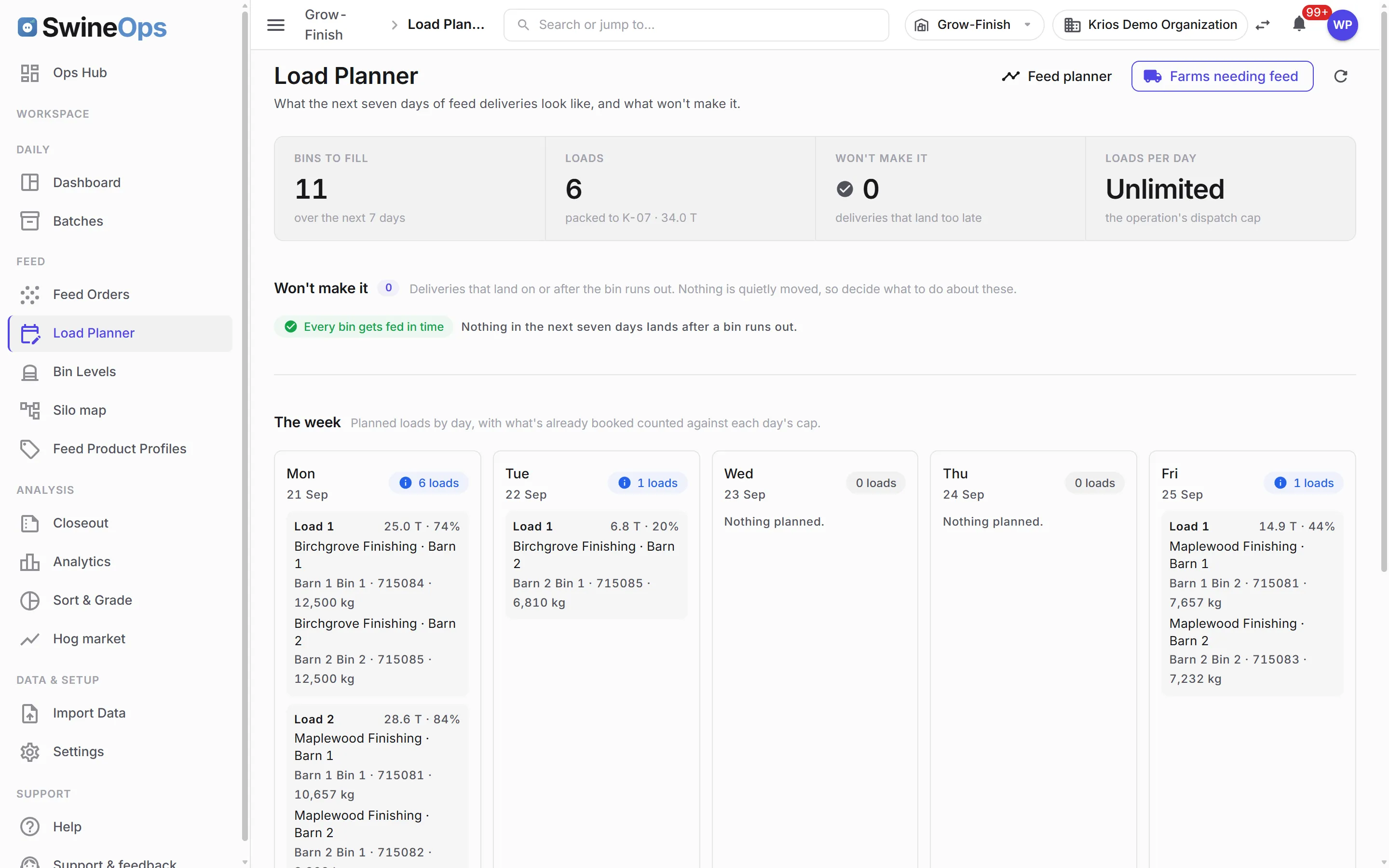
- An order is one truck on one trip; every line names a compartment and a destination bin, and the trailer is packed at bin capacity
- Ordering starts from the farms that need feed — the order-by date respects the bin, the mill's lead time, and the calendar
- Build loads — a planning screen that groups by ration and packs trips to a minimum
- A combined trucking sheet emailed straight to the mill's ordering contact, in the mill's own template
- Orders deliver themselves on the expected date; the button becomes "reconcile"
- Simple feed mode for operations that buy feed and don't care about trucks
Bin levels & the burn model
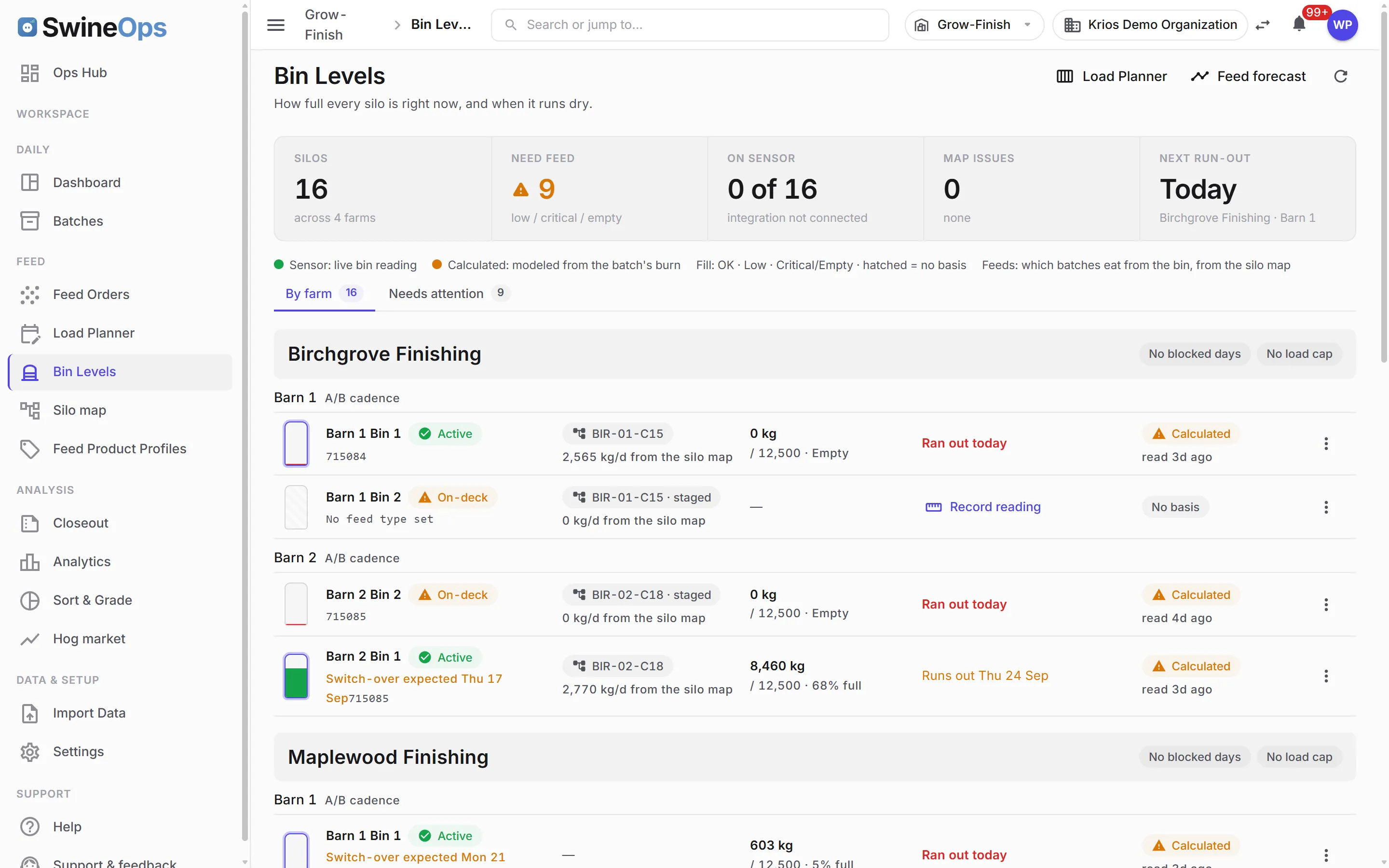
- A per-bin inventory ledger — deliveries and readings layer by product, sensor-fed where BinSentry is installed, calculated where it isn't
- Age-based daily intake, so the projection burns from the bin the barn is actually feeding from
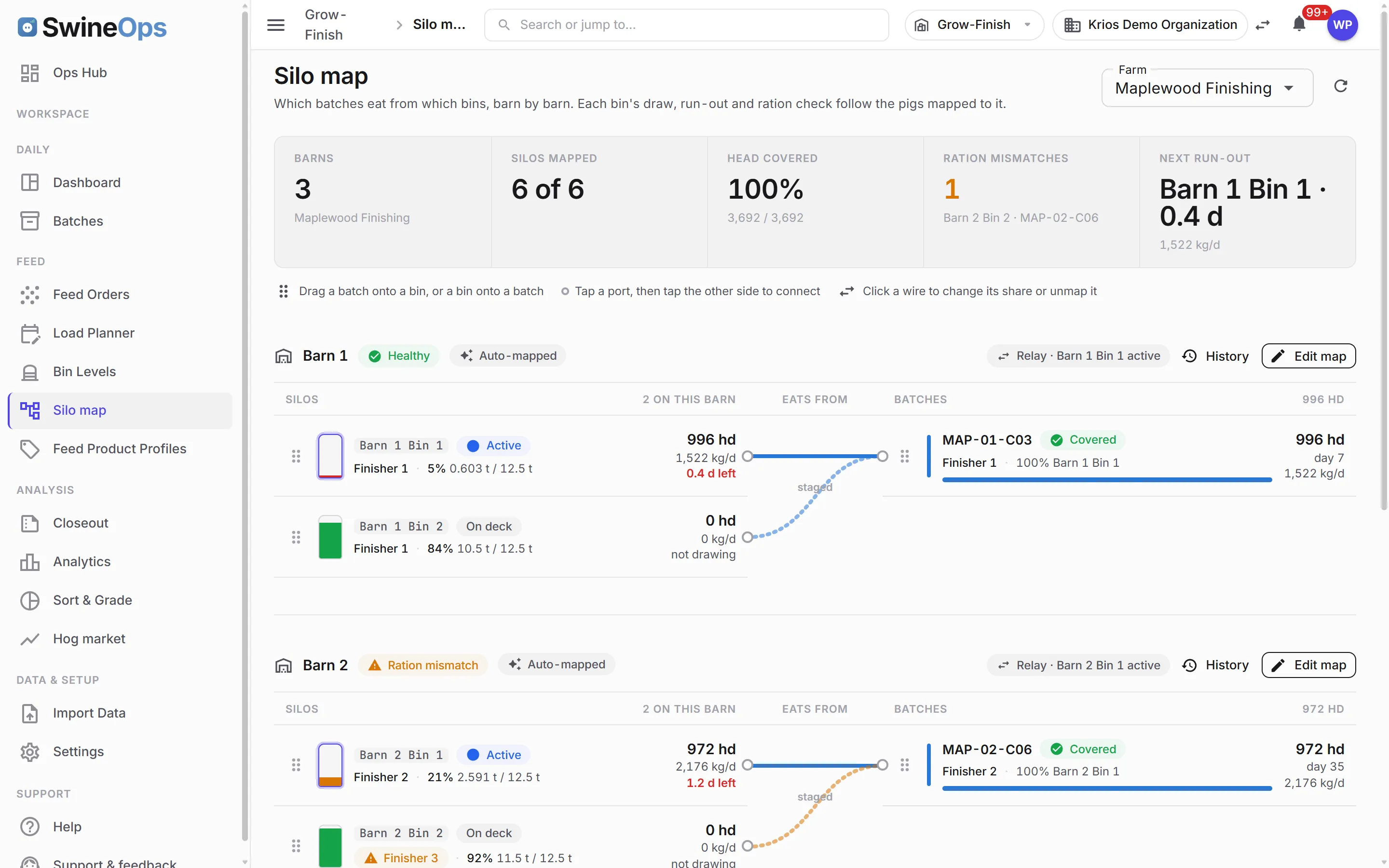
- Silo-to-batch map — drag a bin onto the batch it feeds, with delivery attribution and a history drawer
- Staged next-phase feed advances the budget phase on its own when the current bin runs empty
- 30-day per-silo forecast and a weekly delivery schedule board, with per-farm no-delivery days
Liquid feed & mill recipes
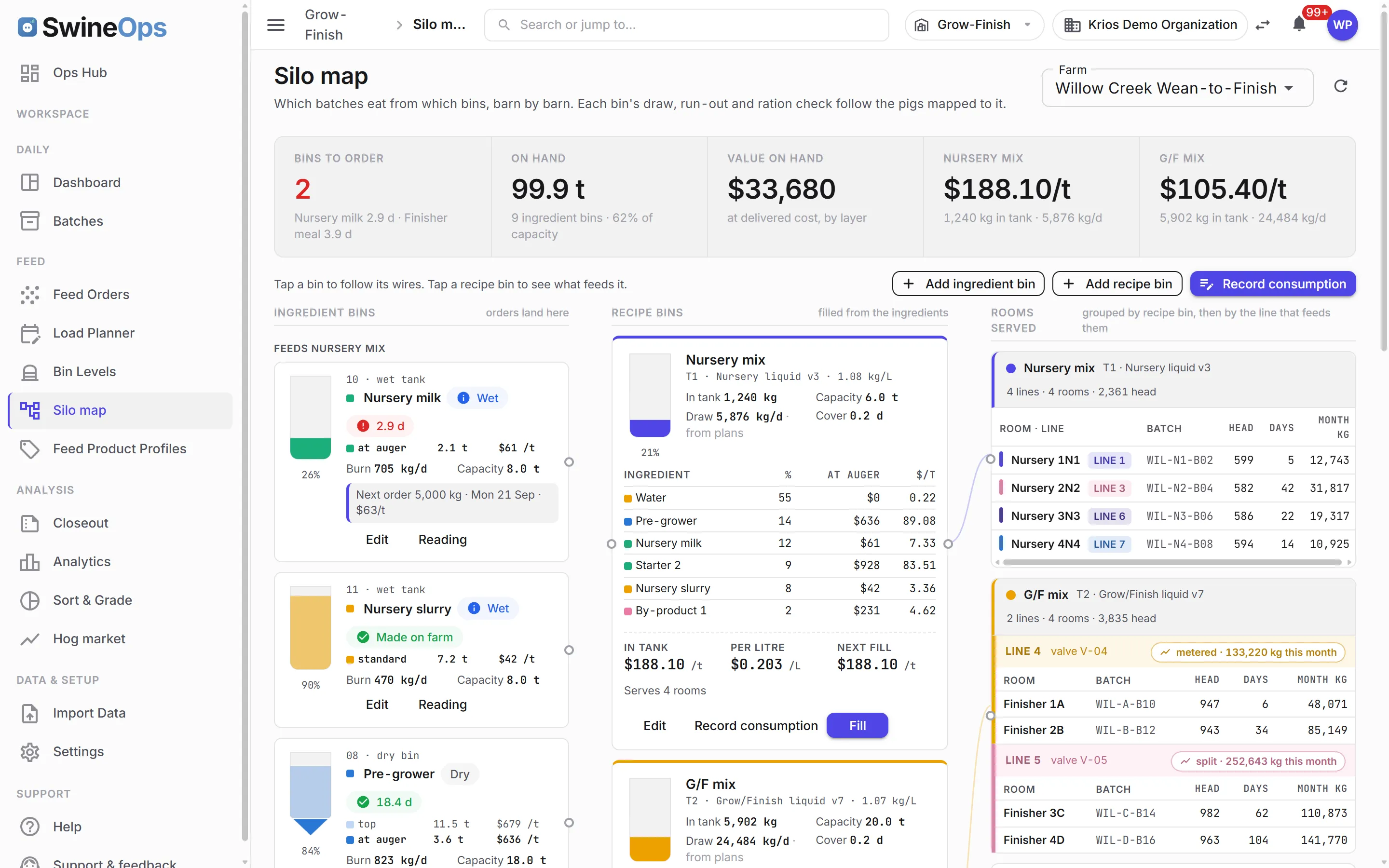
- Liquid-feed kitchen per farm — ingredient bins, recipe bins, fills, and a metered closeout
- Liquid feed plans on batches — a dry-matter curve by day that handles both ration types
- Feed components with an append-only price history, and versioned recipes on each feed product profile with a written cost-per-tonne history
- Wet and dry flows through every picker; an in-tank recipe switch warns before it happens
Imports, feeds & integrations
- Kill-data imports for Sofina, Conestoga Meat Packers and Johnston Packers; feed-invoice imports for Wallenstein and Clearbrook
- An invoice inbox — forward the mill's PDF to your organization's address and it imports itself, or waits for review if unrecognised
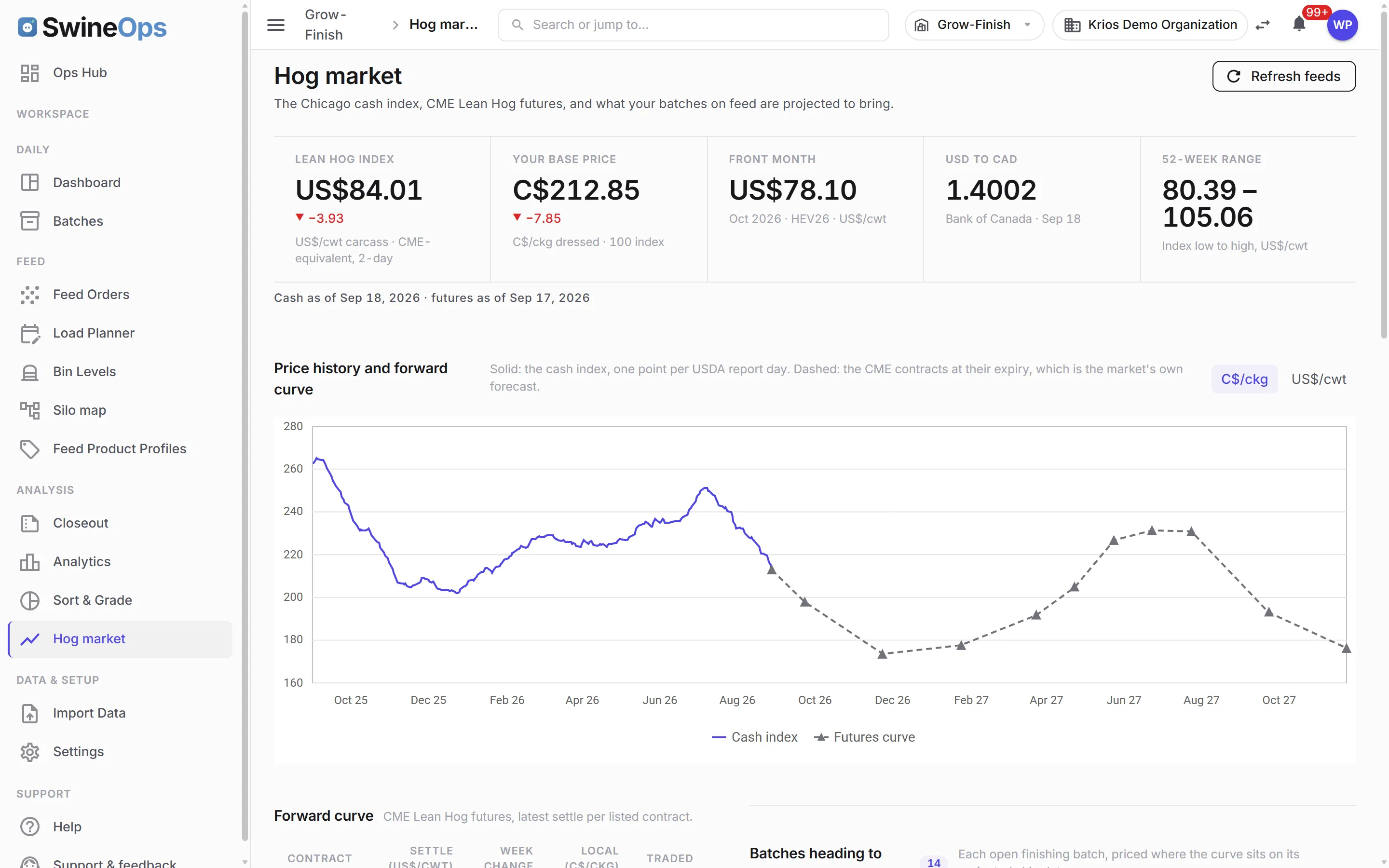
- Hog market feed — CME lean hog index and futures, USDA reports, and a projected value on every active batch
- Mae-Mart / MJ feed-order webhook, and platform-managed mill integrations
Market & closeout
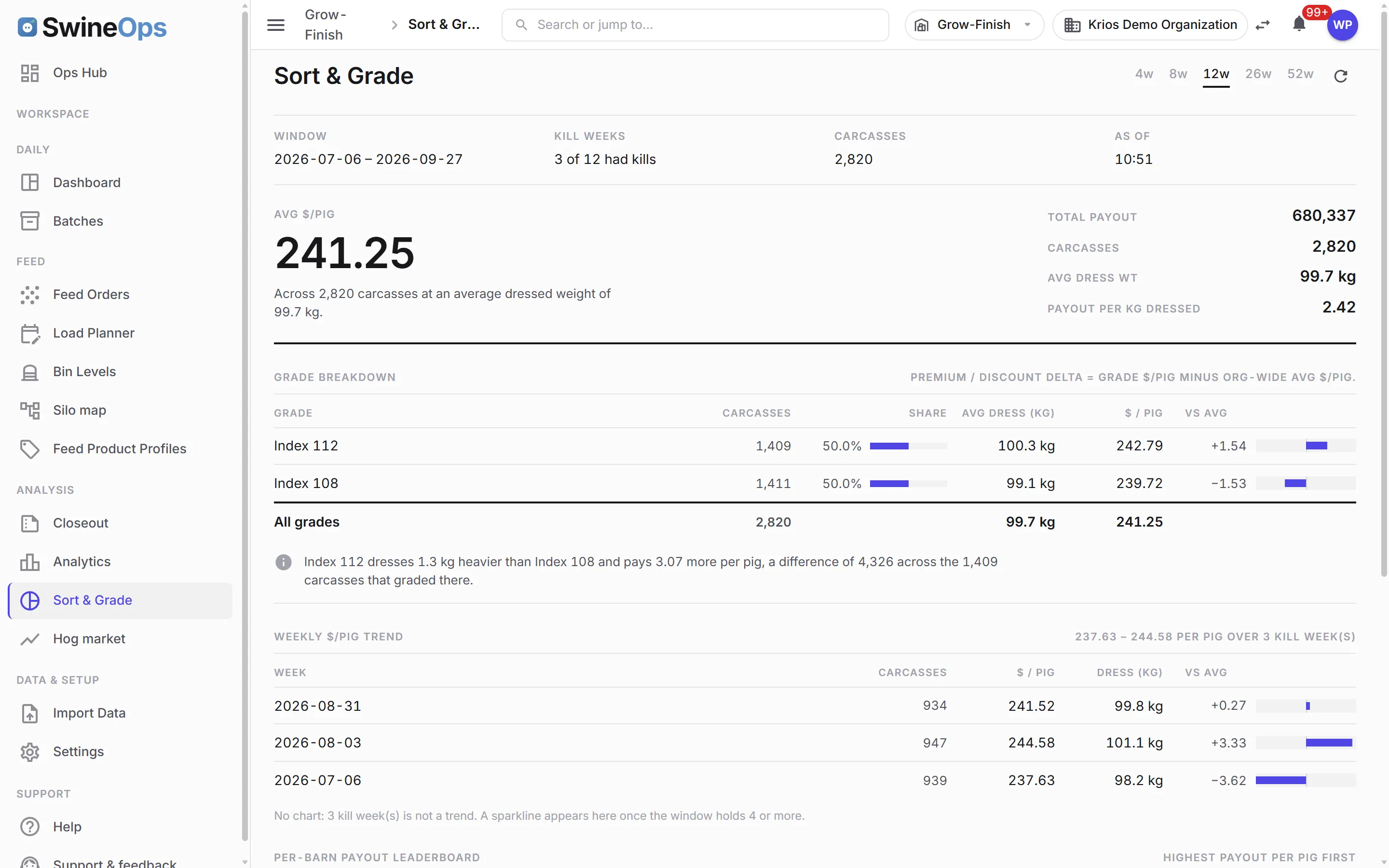
- Sort/grade analysis drawn at the size differences actually are — payout per pig by grade, barn, and week
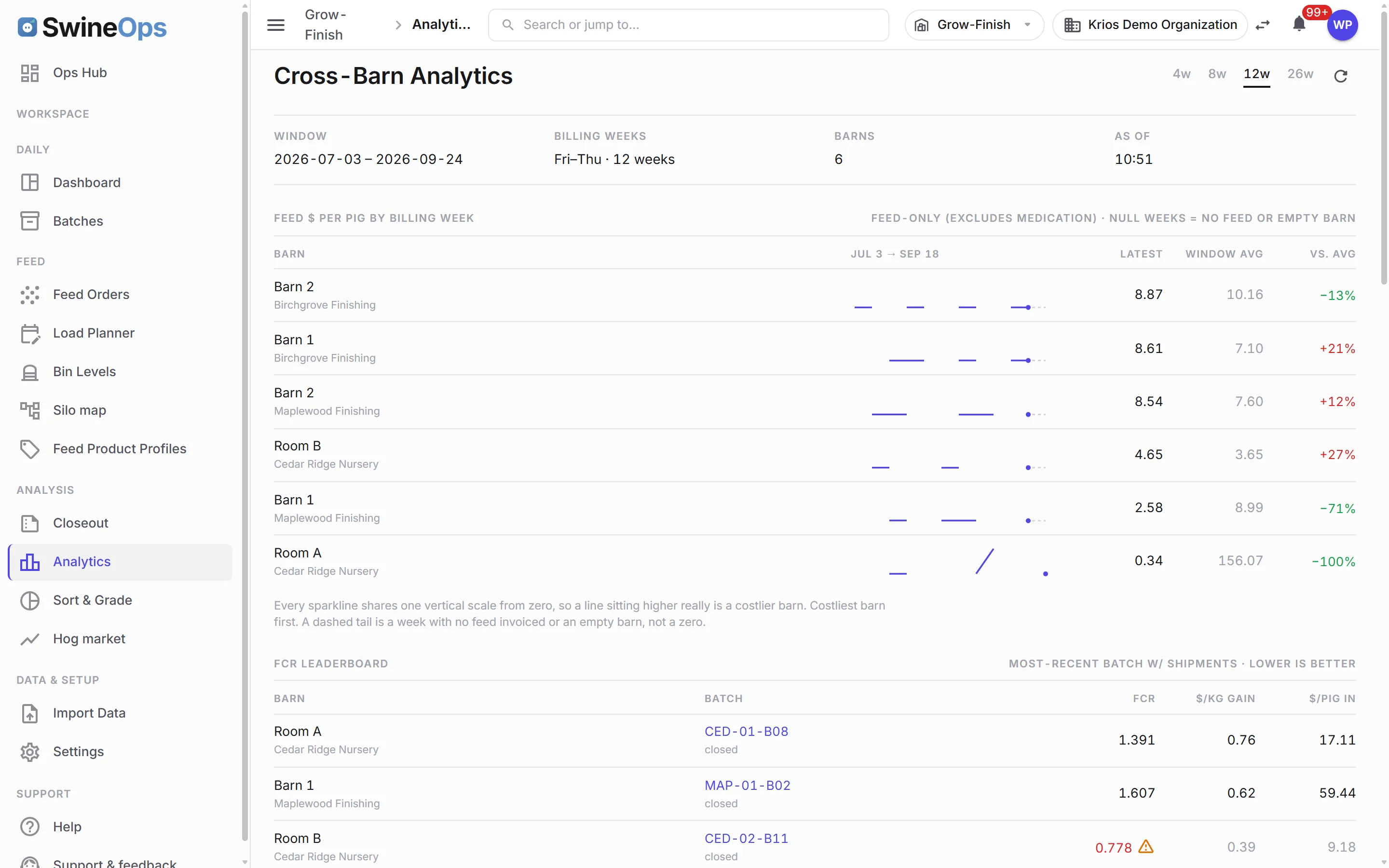
- Cross-barn analytics as small multiples, with waterfall, cost-mix, and condemn Pareto charts
- Actual and freight-adjusted cost side by side, with FCR restated to a standard weight window
- Single-batch or barn-range closeouts, liquid closeouts split by room, and multi-batch comparison
A closer look
How it works
- 1
Place the batch
Open the batch at placement — or place it into a room in a continuous-flow barn; head count and bin assignment start the record.
- 2
Budget the feed
Apply a dry or liquid feed budget template; per-phase ration burns against head and days, and the next phase stages itself.
- 3
Order and watch the bins
The farms-needing-feed list says who to order for and by when; pack the truck, email the mill, and the delivery lands on the bin on its own.
- 4
Sort, ship & close out
Ship to the packer, drop the kill sheet in the inbox, and the batch closes out with cost per pig — actual and freight-adjusted — already built.
KPIs this module tracks
How it connects
Grow-Finish runs against the batches the Sow & Breeding module weans, and every feed order, delivery, and kill sheet lands in Financial against the same batch — so modeled burn and real cost meet on the same record. Licensing Grow-Finish includes Financial. Trucks and compartments are shared with Movement & Compliance, and the barn's grow-finish status rolls up into the Operations Hub for the manager.
Grow-Finish is where the cost of a market hog is actually made, and most of it stays invisible until closeout in a spreadsheet operation. SwineOps models feed burn from the bin the barn is actually eating out of, tells you which farms to order for and by when, packs the truck, and rolls the kill sheet back onto the batch — so feed conversion, days to market, and cost per pig are numbers you watch all the way to the packer, not ones you reconstruct after the pigs are gone. Dry bins, liquid kitchens, all-in-all-out barns and continuous-flow rooms all run on the same record.
Frequently asked
Is "consumed" feed what was delivered, or what was eaten?
How does feed ordering work?
We feed liquid. Does it handle a kitchen?
What about continuous-flow barns?
Can I compare cost per pig fairly between a delivered-feed farm and a self-haul farm?
How do kill sheets and feed invoices get in?
See Grow-Finish on your operation.
20 minutes, tailored to how you run.