
Module
Financial
Not an export to someone else's accounting package. A financial module built around the number a hog operation runs on — cost per pig — with feed and kill sheets posting to the lot automatically, bills that post themselves, vendor payments and customer invoices, a cash-commitments view, and a scanner that reads a receipt off a photo. Included with Grow-Finish.
What it does
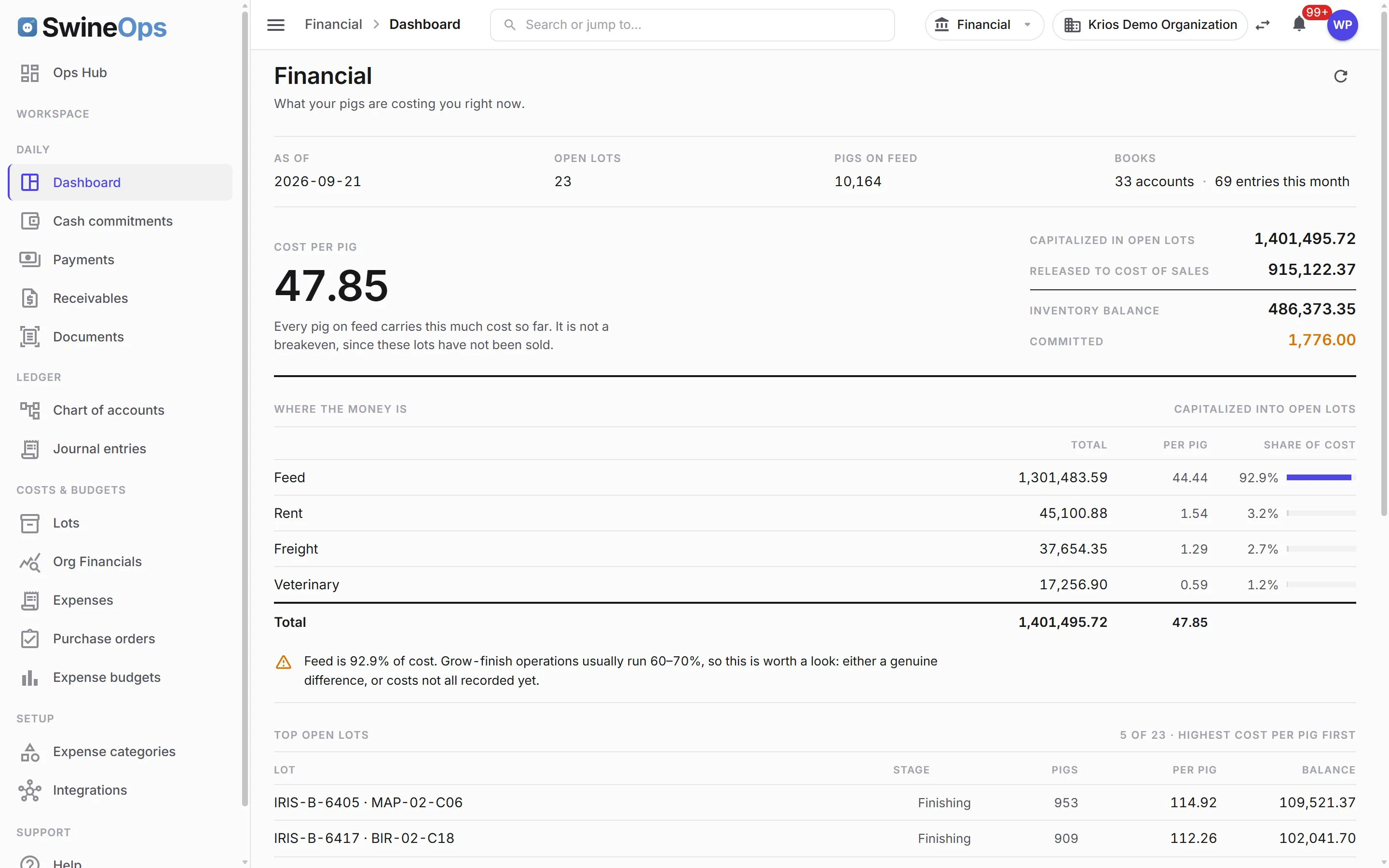
Cost per pig, live
- A dashboard rebuilt around cost per pig, not bookkeeping counters — and one inventory figure, reconciled
- Lot-level accounting — a lot's stage follows its barn, and only a market shipment marks it delivered
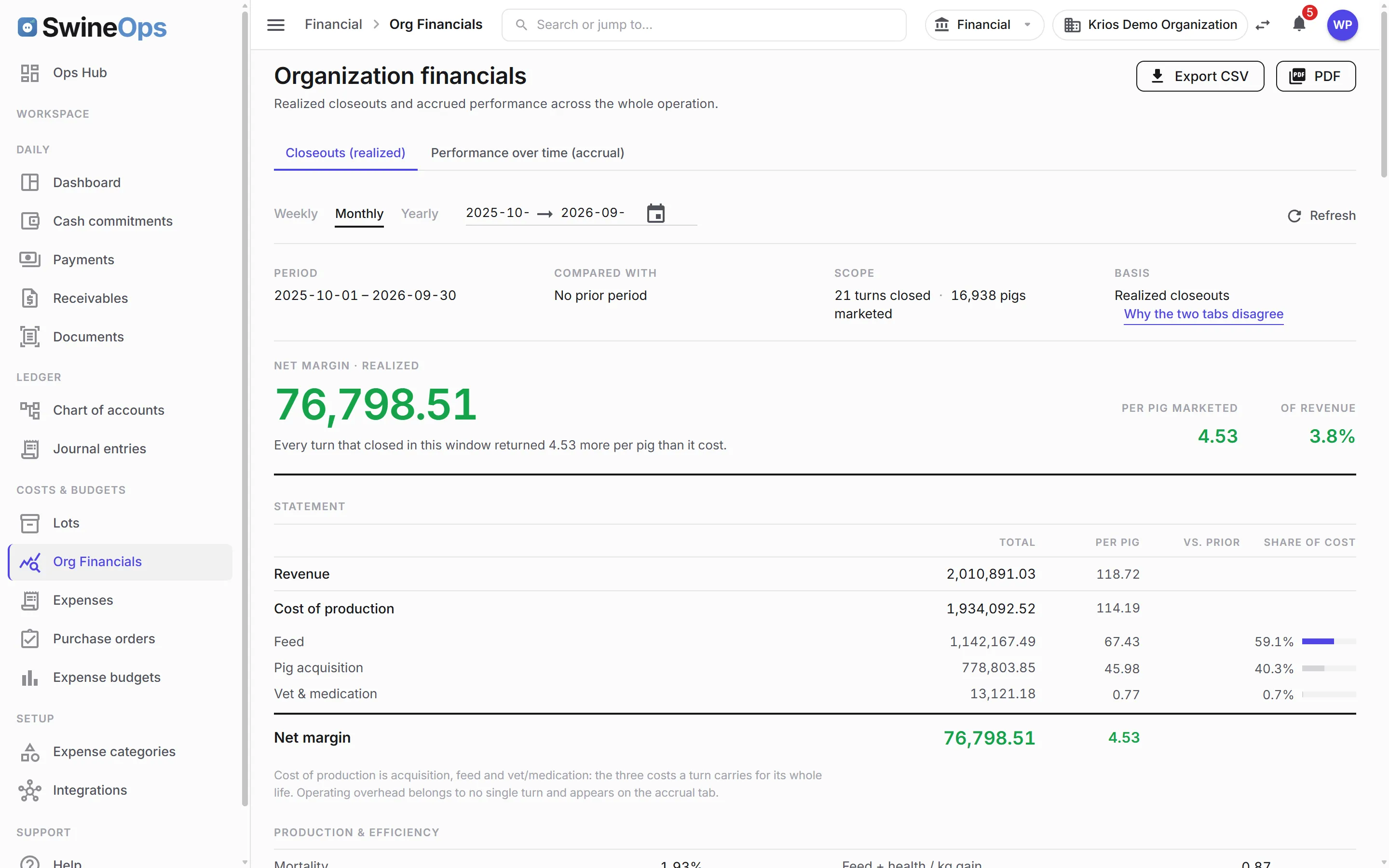
- Organization financials as a report sheet, with overhead spread across the farms and months it belongs to
- Account-level budgets with variance explained, not guessed
Expenses & payables
- Organization-level expenses outside any batch — insurance, utilities, the truck
- Recurring expenses — weekly, monthly, or yearly bills that post themselves
- Vendor payments — the debit side of accounts payable, matched to the bills they settle
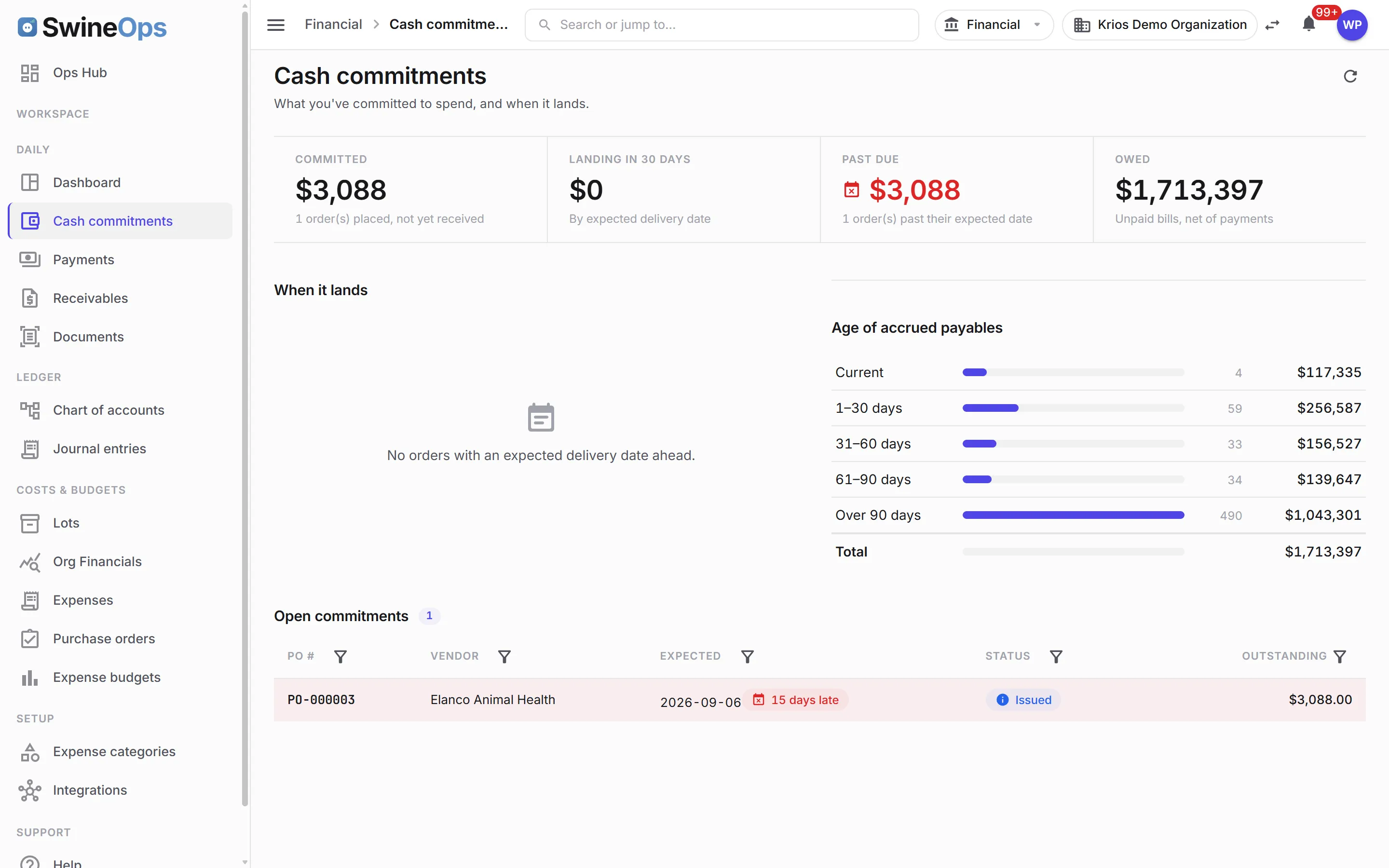
- Cash commitments — everything you owe and when, on one screen
- Approval-gated purchase orders with a multi-approver quorum and receiving
Receivables
- Customer invoices and receipts, with a detail page per receivable
- Posting rules that keep the ledger balanced as invoices are raised and settled
- A reminder job that emails overdue accounts on the cadence you set
The document scanner
- Attach a receipt, an invoice, or a photo to any expense; the scanner reads vendor, number, date, total, and tax
- Classification and routing — a feed invoice goes to feed, a vet bill to vet, an unknown file waits in the inbox for review
- Vendor memory — the second invoice from the same vendor lands in the right category on its own
- Metered per document, so the cost of scanning is visible too
Core accounting
- Full chart of accounts and journal entries with balanced double-entry posting
- Feed invoices and kill sheets from Grow-Finish post against the right lot without re-keying
- Freight from Movement & Compliance lands on the lot it moved
A closer look
How it works
- 1
Set up accounts
Stand up your chart of accounts and expense categories once; recurring bills and purchase orders route themselves.
- 2
Let costs flow
Feed invoices, kill sheets, and freight post to the right lot automatically; scan or forward the rest.
- 3
Watch cost per pig and cash
Each lot's cost builds in real time; the cash-commitments screen shows what is due and when.
- 4
Close and compare
Close the lot and compare against budget; the organization P&L accrues overhead against the pigs that carried it.
KPIs this module tracks
How it connects
Financial is where every other module lands, and it is included whenever you license Grow-Finish. Feed orders, bin deliveries, and kill sheets post against the originating lot, freight from Movement & Compliance rides on the same lot, and the invoice inbox drops the mill's PDF straight onto the batch. Budget variances, cash commitments, and the PO pipeline show up in the Operations Hub for the CFO.
Financial is the module that turns SwineOps from operational software into something the CFO cares about. Because production, feed, and movement already live in the same system, their costs flow into the ledger against the right lot on their own — so cost per pig is something you watch, not something you reconstruct. The rest of the office work moved in beside it: the bills that arrive every month, the vendors you pay, the customers you invoice, and the pile of receipts that used to wait for month-end.
Frequently asked
Is this a real accounting module or just an export?
How does cost flow in without double entry?
Can it read a receipt off my phone?
What about bills that aren't tied to a batch?
Do I license Financial separately?
Does it replace our lot-level closeout spreadsheet?
See Financial on your operation.
20 minutes, tailored to how you run.